Settings for New Packages
Role: Administrator
Overview
Under Settings, you define the values new packages and meta packages start with, and which mail address changelog entries get when the user has no email. The values apply to all users. Only administrators may change them.
The defaults only take effect when a package is created. Existing packages and imported packages (.opsi or workbench) keep their own values, and every Packager can override the defaults in the package editor.
You do not set up the connection to the opsi config servers here but in the Depots view, see Config servers .
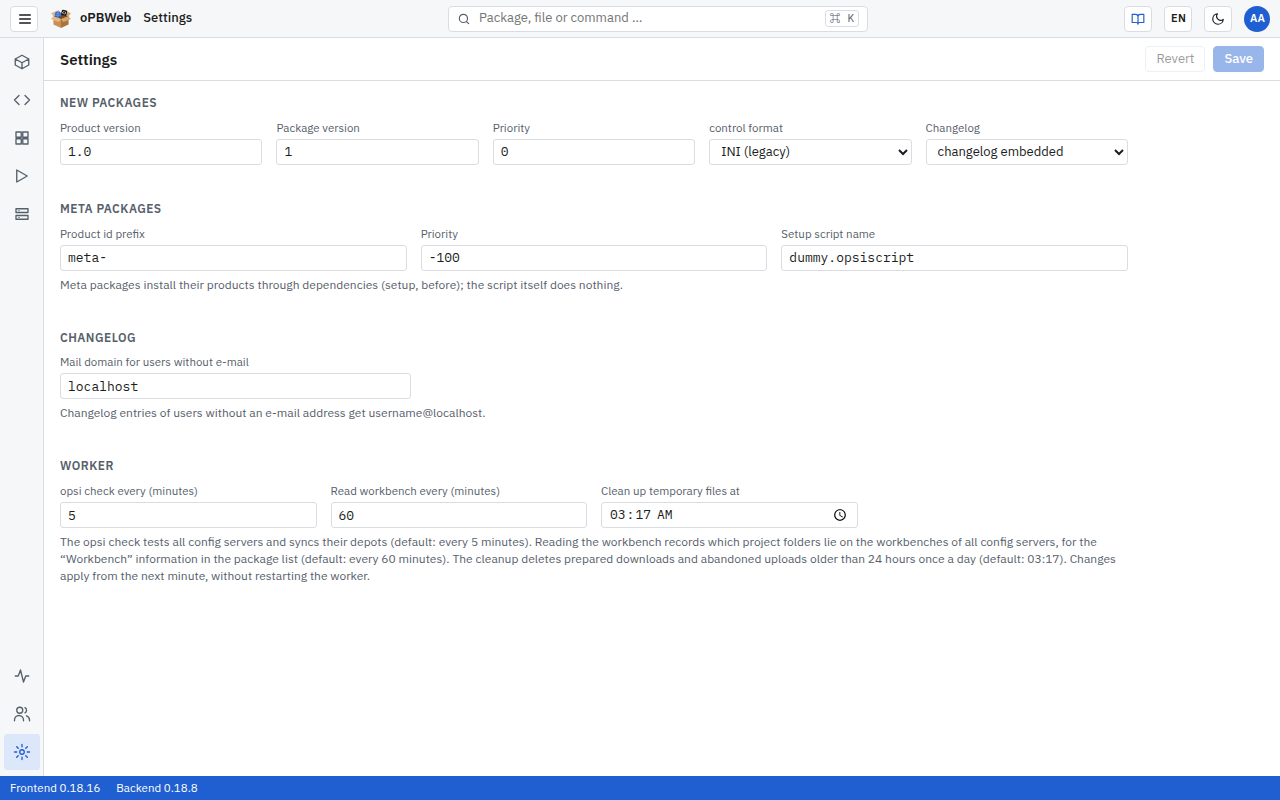
Changing settings
- Open Settings at the bottom of the activity bar.
- Change the values you want in the New packages, Meta packages or Changelog blocks.
- Click Save in the toolbar. The message “Settings saved” confirms this.
Revert restores the last saved values. Both buttons are only active if you have changed something. If you leave the page with unsaved changes, oPBWeb asks for confirmation.
New packages
oPBWeb enters these values into every package created via New package.
| Field | Default | Allowed values | Effect |
|---|---|---|---|
| Product version | 1.0 | 1–32 characters consisting of letters, digits and . + ~ | Product version of the first version |
| Package version | 1 | 1–16 characters consisting of letters, digits and . + ~ | Package version of the first version |
| Priority | 0 | −100 to 100 | Priority in the control file |
| control format | INI (legacy) | INI (legacy), TOML (control.toml) | Format in which the control file is written into the package |
| Changelog | changelog embedded | changelog embedded, changelog.txt, changelog.md | Whether the changelog is part of the control file or a separate file in the package |
Meta packages
Meta packages bundle several products. They install their products through dependencies (action setup, order before); the setup script itself does nothing. The values apply to the Meta package … dialog in the package list.
| Field | Default | Allowed values | Effect |
|---|---|---|---|
| Product id prefix | meta- | up to 32 characters consisting of lower-case letters, digits and . _ -, may be empty | Suggested value the Product ID field in the dialog is pre-filled with |
| Priority | -100 | −100 to 100 | Priority of the meta package. |
| Setup script name | dummy.opsiscript | 1–128 characters, without / and \ | File name of the empty setup script in CLIENT_DATA |
The product version field in the Meta package … dialog is pre-filled with the Product version from the New packages block.
Changelog
| Field | Default | Allowed values | Effect |
|---|---|---|---|
| Mail domain for users without e-mail | localhost | 1–128 characters | Changelog entries of users without an email address get username@<domain>. |
If a user has entered an Email in their account, oPBWeb uses that address. So enter a domain here that fits your accounts, or maintain the email addresses in Users and roles . For directory accounts, the address comes from LDAP.
Worker
| Field | Default | Allowed values | Effect |
|---|---|---|---|
| opsi check every (minutes) | 5 | 1–1440 | How often the worker checks all config servers (sign-in, admin rights, CA certificate) and syncs their depots. |
| Read workbench every (minutes) | 60 | 1–1440 | How often the worker reads the workbench of all config servers and records which project folders lie there; the package list shows this under Workbench . The interval is independent of the opsi check because reading needs two requests to the server per project folder. A server that cannot be reached is skipped. |
| Clean up temporary files at | 03:17 | time of day | Once a day at this time the worker deletes prepared downloads and abandoned uploads older than 24 hours. If the time has already passed when the worker starts, it cleans up right away. |
Changes apply from the next minute; the worker does not need a restart. The interval of the heartbeat (every 30 seconds) cannot be changed: the system status uses it to detect a failed worker.
Every saved change appears in the Audit log
as settings.updated with the changed fields.